I found this course to be useful, especially as someone who is not as tech-savvy as other teacher candidates. The one key takeaway from this course that I will apply to future teaching revolves around privacy concerns. Although technology has become such a pivotal component of education, teacher’s must have extreme awareness with what technologies they introduce to their students. It is best to consult EdTech specialists within your school or district before implementing anything. In an ever changing tech world, there is so much unknown still, especially in terms of platform privacy and data storage. I have attached a small secondary article below that assesses these concerns. Other tools that I enjoyed in this course was the introduction to ClaudeAi. This was a platform I was not previously aware of and was blown away by its capabilities! I was able to have Claude generate a “Jeopardy! Style” study game for me centred around History 12 material and the War in the Pacific. Claude will be a tool that I experiment and utilize moving forward.
Category: Weekly Reflections
This is the category to apply to your Weekly Reflection posts from the course.
This week’s focus on digital citizenship and online safety felt really relevant to me, especially privacy and security, and how easily those things get overlooked in everyday situations.
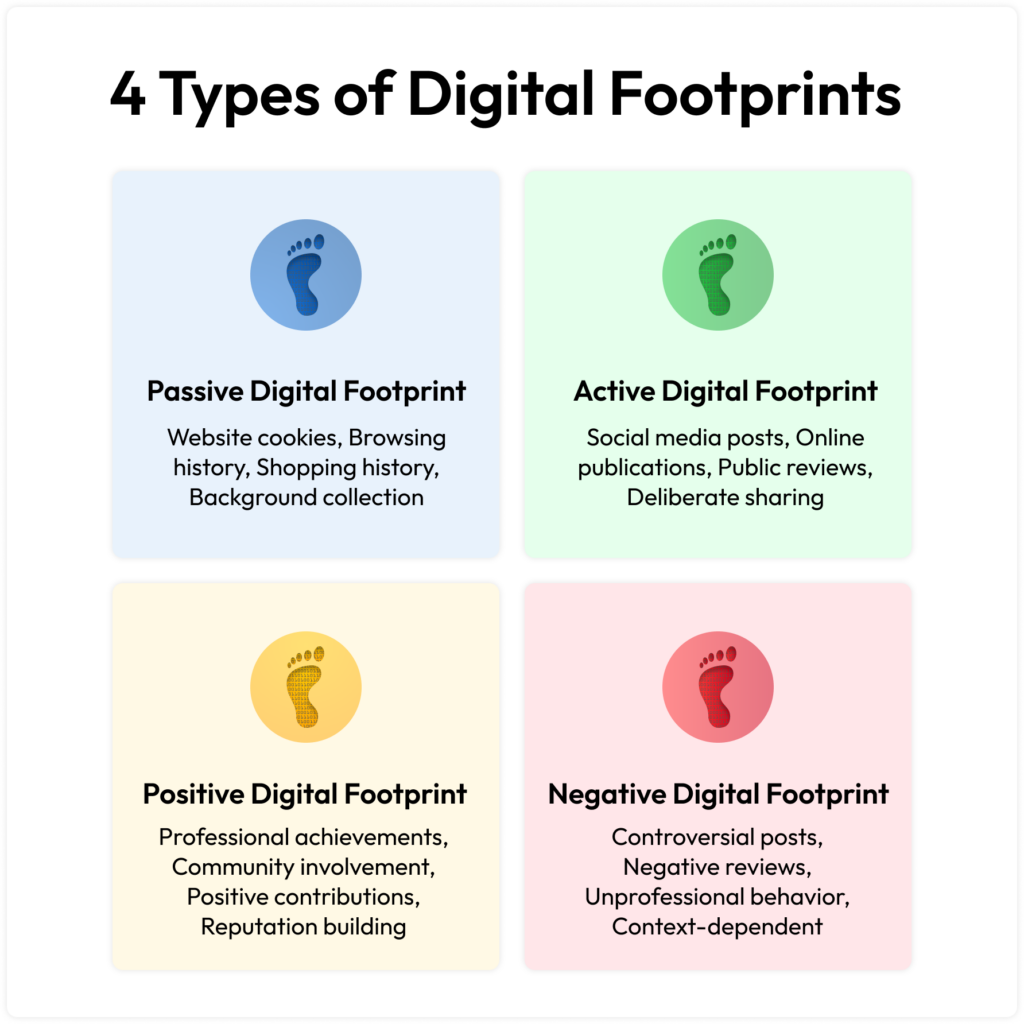
It actually brought me back to my own high school experience. I saw a lot of situations where photos or videos got shared without someone’s consent and quickly turned into embarrassment or bullying. At the time it didn’t always seem like a big deal, but looking back, it’s clear how harmful that can be. Once something is online, it spreads fast and is nearly impossible to take back. Since I I graduated in 2015, I was there when a lot of the platforms (Instagram, Twitter, Snapchat) students still use today were just taking off, so I’ve seen both sides firsthand. Because of that, I don’t think social media is something that can just be avoided, it’s a huge part of how students connect. The more realistic approach is teaching them how to use it responsibly, which I think gives me a bit of an advantage as a future teacher. This connects naturally to digital consent, something I don’t think gets talked about enough. In PHE we already cover consent and healthy relationships, but those conversations don’t always extend into online spaces. Asking before posting, respecting boundaries online, and understanding how content spreads are just as important as anything happening in person. Overall, this week reinforced that online behaviour is real behaviour. It has real impacts on relationships and wellbeing, and in PHE especially, digital citizenship fits naturally alongside what we already teach around respect and healthy communication.
These EdCamp videos are a great reminder of just how powerful collaborative learning can be, not only for students but for teachers too. Collaboration, as we have learned throughout our practicum, is vital as it naturally increases engagement and makes learning more holistic. Instead of sitting through a set schedule with expert speakers doing all the talking, participants get to shape their own sessions around things they genuinely care about. It challenges the traditional ideas of professional development, resulting in less passive listening and more genuine involvement. What makes this model intriguing is that everyone brings something to the table. Teachers come from all different backgrounds and have a ton of varied experiences, so the strategies and ideas that come up in these conversations are ones that may not be brought up in conventional workshops. EdCamp’s are grounded in actual discussion, not just someone talking at you. When you have a hand in deciding what you’re learning about, you’re way more likely to actually care about the conversation. It stops feeling like a lecture and starts feeling like a real exchange of ideas. At the end of the day, the video is a good reminder that learning doesn’t have to be a solo thing. It gets a lot richer when it’s built around community, real conversations, and shared experiences.
I think there is a lot of value within resources such as “Claude”. As someone who is not very tech savvy I found the platform to be extremely simple and user-friendly. I was honestly amazed by how easy it was to code and produce a study guide for the Spanish alphabet and the pronunciations of each letter. I also was impressed how I could utilize prompts to redesign the appearance of my guide, wether it was colours, patterns, or the lettering. This would be a very handy tool to use when designing study guides and interactive games for Social Studies content. You could mesh answers and make a Jeopardy style game to keep students engaged and interacting. For how simple and straightforward it was to design something, Claude could really be a beneficial resource as a teacher. I think it would also be something that students themselves would find really interesting to play around with! Additionally you could use it to design language learning activities for ELL students.
“Gamifying” things in Social Studies is a great way to keep students engaged, especially in a subject that I know can grow “dull” for some students that are not highly keen on reviewing “old” history. I think it is a safe assumption that a larger number of high schoolers would vote for games over history studying if given the option, which proves that an integration would prove valuable. Interactive games, especially team ones, can promote collaboration amongst classmates and provide an alternative, more well-rounded learning experience. Additionally games have the ability to allow for more retention of material for a wider-range of students!

Often Overlooked Accessibility Practices
Something that really stood out to me from this week’s content is how many accessibility practices are actually simple to do, yet they still get overlooked a lot. Small things like adding alt text to images, using proper headings so readers can move through a page more easily, and writing descriptive links instead of just saying “click here” can make a big difference. When I reflect on my own uses sometimes I overlook things like alt text with images, especially when I’m quickly putting together slides or posting something online. It’s not intentional, it just isn’t something that automatically comes to mind unless you’ve been taught to think about accessibility while designing. This really shows how important it is to build awareness around accessibility. When people start considering it from the beginning, these small steps can easily become part of their normal routine and help make online spaces more accessible for everyone. I think it just highlights the importance of being (slightly) more detail oriented.
Why do you think many digital accessibility practices aren’t more well-known or commonly used?
I think a lot of digital accessibility practices aren’t very well-known because people simply do not learn about them. Although there has been a lot of positive progression in the world of accessibility, I think the digital version of it somewhat “flies under the radar”. I don’t think this is intentional whatsoever. Details on digital resources need to be a little more inclusive and deliberately laid out. It can be simple things such as an extra line of descriptive text, allowing all forms of readers to navigate a resource more easily. For a small example here is a photo with a descriptive caption and link below.

One of my favourite football players of all-time, Keenan Allen, making a miraculous one-handed catch. https://www.nfl.com/videos/can-t-miss-play-keenan-allen-submits-bid-for-catch-of-the-year-on-spinning-grab
On Friday I had the opportunity to join an online workshop discussing the National Film Board of Canada and how it is a handy resource for educators to use in the classroom. As Social Studies is my main teachable topic I found this workshop to be useful and interesting. Utilizing the NFB as a teaching resource is a perfect way to draw in alternative learners in the classroom. It adds an additional layer to multimodal learning, moving past the traditional lectures and textbook work that can have the tendency of boring students. I think it is safe to say that the vast majority of people, adults and kids, enjoy watching films and or documentaries as they often tell stories and provide information to us in a visually engaging manner. The NFB as a resource is perfect for teachers, especially in Social Studies, as it has a vast catalog of films relating to Canadian history, both at domestic and international levels. I recall a university course that I took on American History Through Film and it was extremely engaging. We would study films that detailed significant events and periods in history, often comparing and contrasting between the film and the actual event. This class was a perfect way to engage students and also encourage them to think critically about the film and its portrayals/messages. Could we assess any sort of biases? Films are an extremely beneficial tool that can be used as an entry point for engaging students that otherwise may not be initially interested in a topic. Utilizing the NFB for an exploratory Canadian History project in an upper-level high school history course is an exciting idea. As there are so many different stories and topics within the NFB database, students could research assignments and report on their chosen films, while integrating additional resources. How does this film/event contribute to Canadian history? Consider the film and when it was released? How does it fit within the timeline of our country? What is the cultural significance of the topic?
https://www.nfb.ca/film/ice-breakers/ – Mini-documentary detailing the history of Afro-Canadian hockey in the Maritimes.

As society continues to progress and utilize a wide range of technological tools, the ability to be proficient with various software and platforms will only become more important. Especially when entering the realm of education. This week we were introduced to multiple platforms that can aid us in education, especially when it comes to organizing, storing and sharing resources for teachers. I played around with Google Keep and Google Classroom. I like how both platforms are user-friendly and can all be accessed via an account log in (which I already have). To have the luxury to store various resources such as reporting, classwork and lesson plans is so handy. Keep has the ability to colour coordinate different sets of notes as well as keeping things very simple and user-friendly. I like how it syncs across different devices and is always accessible via a simple log-in. The platform also allows you to set reminders for important notes and share things instantly with other teachers or students. I have attached a video below of me playing around with Google Keep with some doodles but of course this would be much more handy with a tablet and magic pencil rather than the laptop I did it on. Google Classroom also provides the same level of handiness and user-friendly features. I had the fortune of being at Belmont Secondary for the Link2Practice Program last semester and many teachers utilized this platform. It was such a handy way to interact with students and colleagues for a shared learning space.
The use of generative AI has exploded in recent years and will become even more prominent as we move forward into the teaching profession. After completing my undergraduate degree in early 2023 I took a few years off to work and travel before starting the PDPP Program. Generative AI was something that I did not really utilize in the final years of my degree and have been shocked to see how prevalent it has become during my two year absence from school. While generative AI has immense abilities to assist in so many aspects of life, it does have limitations. When searching for things and prompting AI, you receive such broad amounts of information as it pulls from sources scattered across the internet. One thing that we discussed in class with Rich was the importance of being very specific when prompting AI to get the best results. Broad and generic prompts result in broad and generic responses, which is something we need to avoid in education. There must be a balance when using AI as it can be helpful to provoke ideas and thoughts but over reliance can lead to diminishing levels of originality. Especially when it comes to relying on AI to construct written work, as this is a key element of the human brain.
Contrary to the limitations, generative AI is able to be a very useful tool. Like I mentioned at the beginning of this post, my experience with it was at an extremely novice level prior to this semester. The concept of it worried me, especially as a History major that has had to write numerous research papers. I still avoid generative AI at all costs when it comes to constructing written pieces because I believe it to be extremely unauthentic. Last semester I was stuck with coming up with additional ideas on what students could research via a Social Studies community walking tour. The goal was to get kids involved within their community and learn hyper-local history. Generative AI suggested looking into street names and their historical relevance which I had not considered. Little things like these I believe can be very helpful as a tool for educators, while still focusing on originality and authenticity. I view generative AI as a tool that can inject a little spark into an idea when faced with a “block”.

Photo Source: https://www.trinka.ai/blog/the-limitations-of-artificial-intelligence-what-humans-still-do-better/amp/
Describe how Multi-media Learning Theory can help us create more effective instructional videos and tutorials.
I think Multi-media Learning Theory proves to be extremely beneficial when attempting to “get through” to a learner. As an instructor it is hard to put into words the benefits that come from meshing various forms of media, such as text and visuals. I have never put any serious thought into the construction and design of instructional videos but the more I think critically about it the Learning Theory is extremely evident. Over the weekend I was researching a salmon recipe along with a marinade and the website contained a combination of pictures/videos (the preparation process with the fish, the marinade, and the ideal final product) along with descriptive text, measurements, and general steps for the entire process. This is a perfect example of Mulit-media Learning Theory that helps educate a novice learner (myself the cook) in executing a task. Multi-media provides more entry points for learners and their varying styles, allowing for more inclusion and heightened chances of getting through to the majority of students.
Describe how you could use video or audio editing as the assignment medium for the subject and grade level you will be teaching (if at all), and what you could do to make the assignment as engaging as possible.
I will likely be teaching Social Studies / History between Grades 9-12. Integrating video & audio editing can be a beneficial tool to use when teaching this subject and level. I could see it being very useful when assigning short videos that are to be watched for homework. If I could master this skill I could record educational videos while pausing them and utilizing a voice over to emphasize key concepts and themes that I want my students to be grasping.
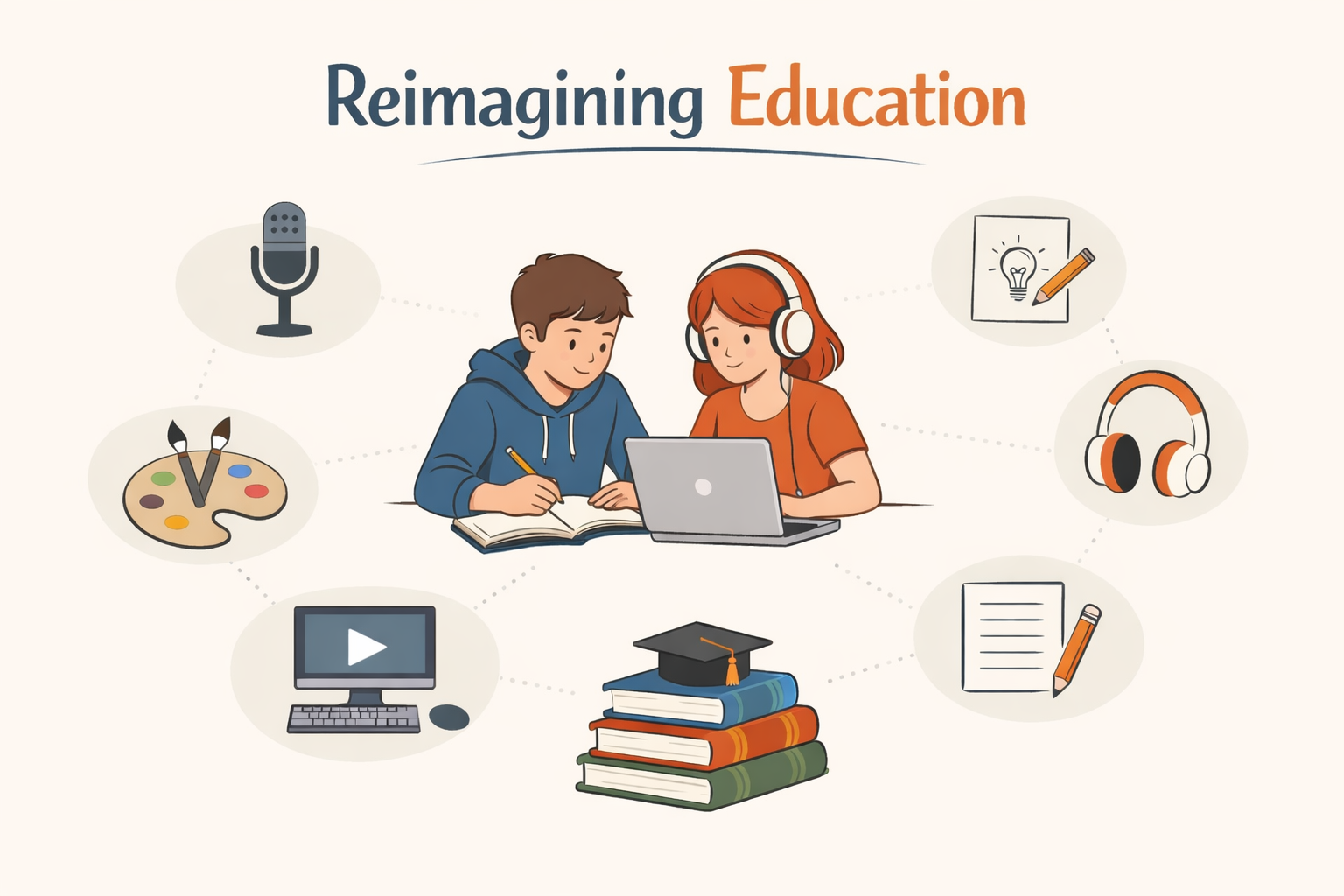
Do we need to reimagine education?
Do we need to reimagine education? Yes. When it comes to this “reimagination”, I believe there are endless possibilities to shift the educational landscape. Education, just like any other topic or system in our society, always has room for evolution. As educators we must continue to understand the necessity of catering to a wide range of learners and learning styles. When studying a topic or assigning projects, the ability to provide a range of entry points is crucial to student success, engagement and inclusion. Entry points for project-work may include components of visual (diagrams, mapping, videos), auditory (discussion or podcasts), text (reading, writing, essays), or kinesthetic (hands-on or building). As a Social Studies and PHE teacher I also have seen the benefits of movement in the classroom. Further providing alternative learning spaces (changes of scenery) and getting kids moving also enhances educational experiences.
What obstacles do educators often face when they try to change pedagogy?
There are certainly factors that educators face when trying to alter their teaching theories. Personally I believe that many teachers desire to alter their approach but struggle with the confidence and tools to do so. The education system is quite structured and it is easy to follow a traditional blueprint. Many teachers also may fear challenging the typical status quo because of perceived pressure from administration and colleagues. Parents may also apply pressure if they believe their child’s education/classwork is taking an unconventional shape. Lack of time and resources (i.e. classroom space) are other factors that may prevent an educator from changing their approach.
What concerns and/or excites you about this approach?
I think one of my biggest concerns in bringing new approaches to the classroom would be potential push back from administration and parents. Shifting away from the traditional approach of teaching is bound to stir some emotion and/or questions from observers outside of the classroom, especially as a new teacher. Getting past this initial stage and building confidence to take some risks I think is huge for new teachers. There are many things to be excited about though. With the emergence of technology and a diversified skill set within a range of students there is a huge potential for a shift in teaching content. More than ever, students have the tools and technology to learn and create creatively.